في هذا الدليل
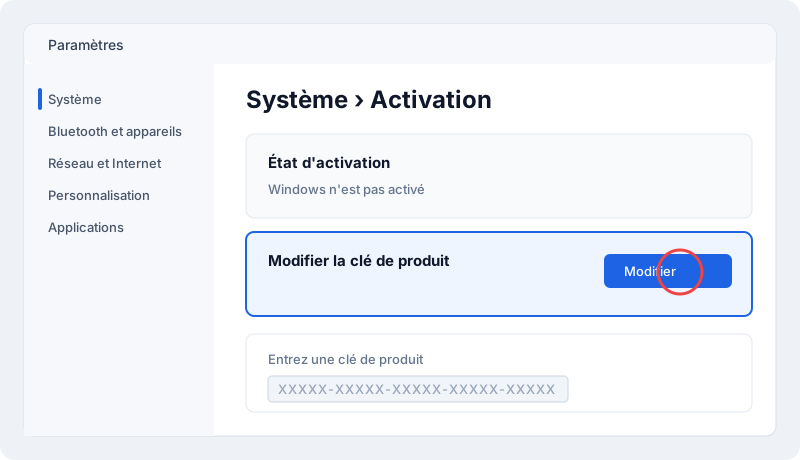
1. Activate Windows 11 Pro
- Open Settings › System › Activation.
- Click Change product key and paste the Windows key.
- From Windows Home, the PC switches to Pro after a restart, without data loss.
2. Install Office 2024 Professional Plus
- Uninstall any other Office or Microsoft 365 version.
- Run the official installer from My licenses.
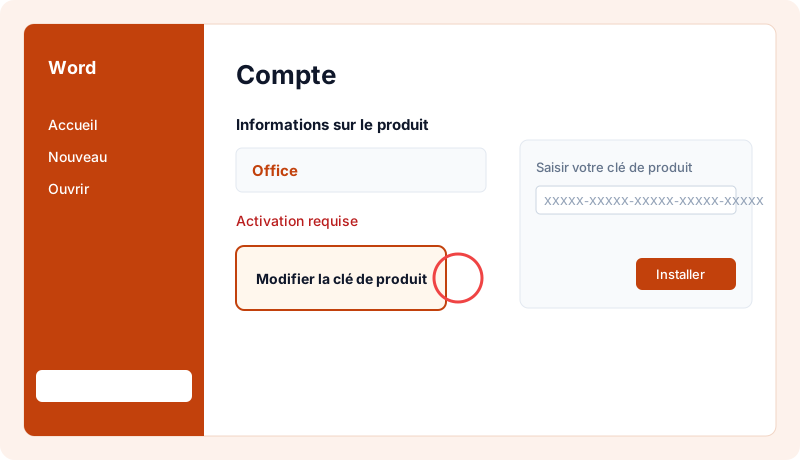
3. Activate Office
Open Word › File › Account › Change product key and paste the Office key.
How long does it take?
Allow 30–60 minutes for a complete PC.
Check that the license is activated
Check Windows in Settings › System › Activation, then Office in Word › File › Account.
Reinstalling and changing device
Your key stays available any time under "My licenses". You can reinstall the software on the same device as often as needed. After a major hardware change (e.g. motherboard), the publisher may ask for reactivation: contact us and we'll guide you.
Good practices
- Always download the software from the publisher's official website or the link supplied with your key, never from third-party sites.
- Don't share your key: it's tied to your device and could be blocked.
- Keep Windows updated to receive security fixes.
- Keep your invoice, available in your account.
Need a license?
At MySoftKeys every license is genuine, delivered by email within minutes with the official download link, and guaranteed: a key that doesn't work is replaced or refunded. Our support team answers 7 days a week to help with installation.
الأسئلة الشائعة
How many keys will I get?+
Two: one for Windows 11 Pro and one for Office, both for the same PC.
Can I use the keys on two different PCs?+
Yes, each key is independent: Windows on one PC and Office on another if you like.
When will I receive my key?+
Usually within 2 minutes of payment confirmation, by email and in your account under My licenses.
Is the license genuine?+
Yes, it activates on Microsoft's official servers. If it doesn't work, we replace it or refund you.
Can I get an invoice?+
Yes, every order comes with an invoice, with VAT for businesses.
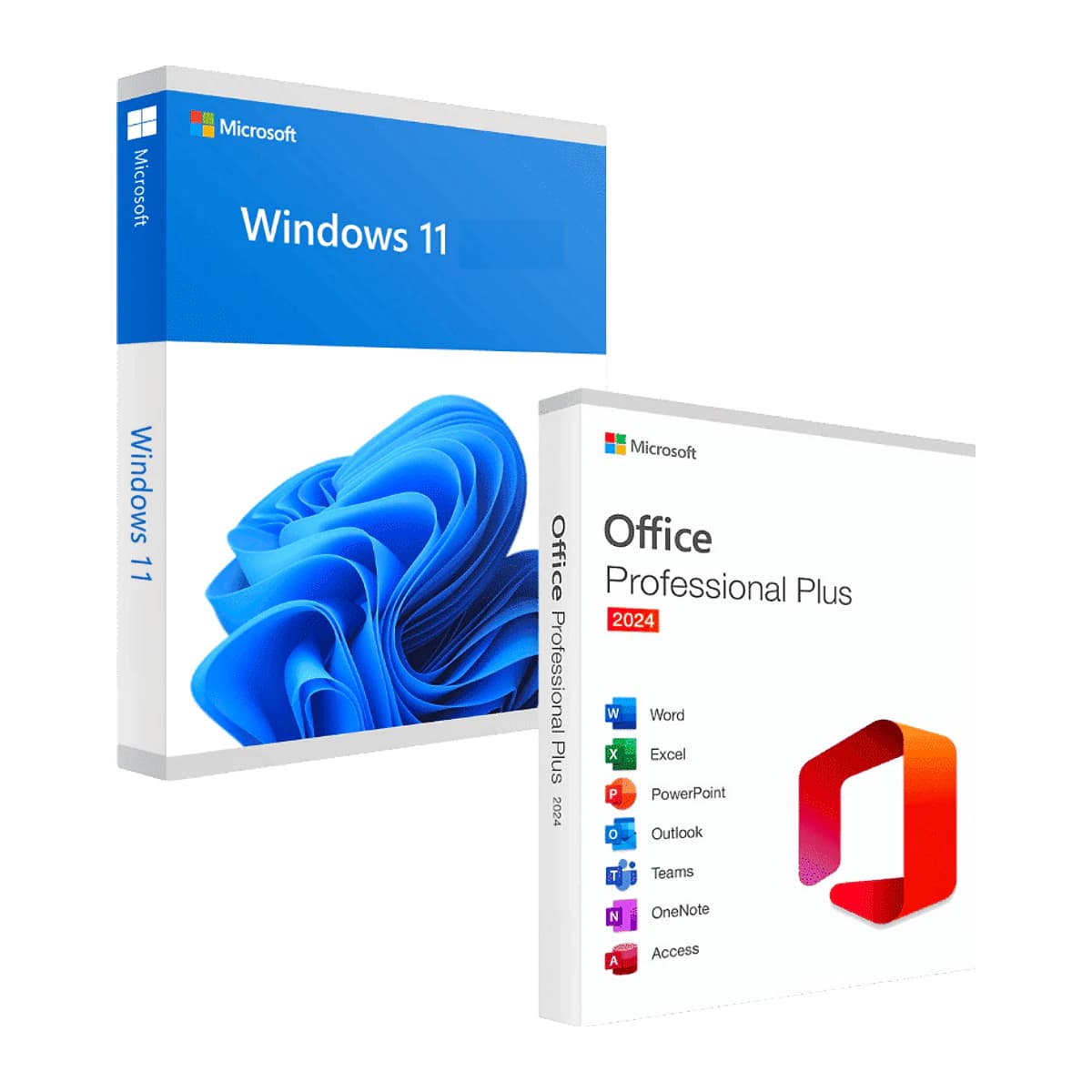
هل أنت مستعد لتفعيل Windows 11 Pro + Office 2024 Professional Plus Bundle؟
مفتاح أصلي يُرسل خلال دقائق، ضمان التفعيل ودعم طوال الأسبوع. دفعة واحدة دون اشتراك.